
b-hyve Pro
B-hyveHouse & Home
4.4175.00 Reviews
- Version
- 3.0.58
- Installs
- 10.00K
- Age Rating
- Everyone
Screenshots
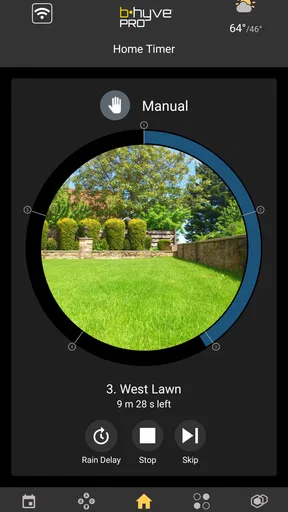
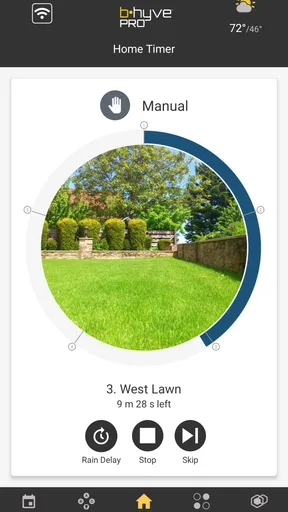
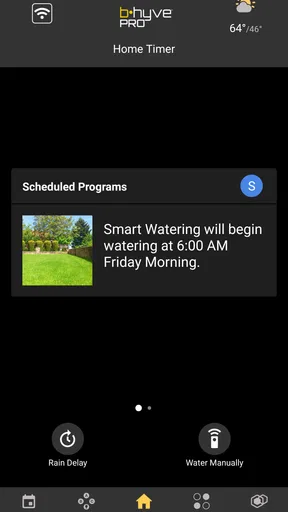
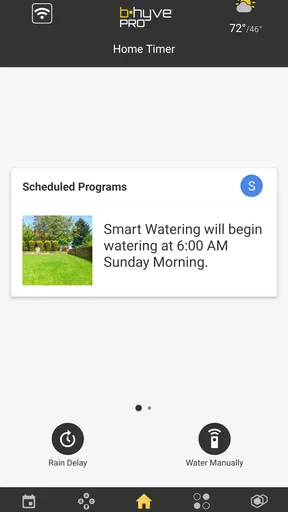
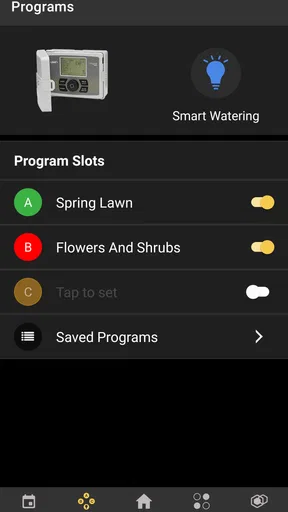
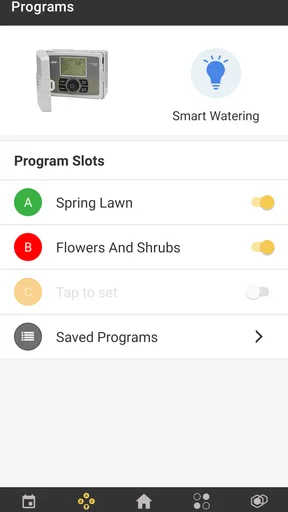
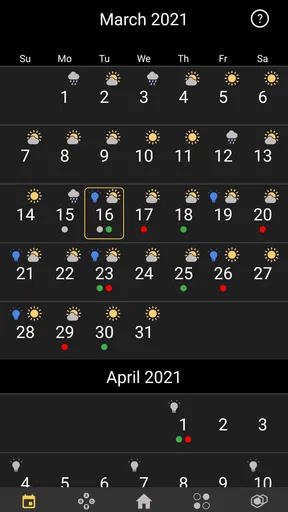
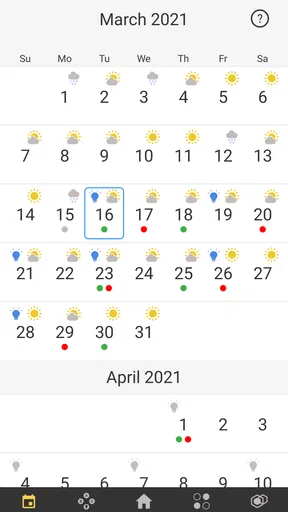
Our Review of b-hyve Pro
 Analysis by Appyee
Hey there! So, I’ve been diving into the world of smart irrigation with the b-hyve Pro app, and let me tell you, it’s been quite the adventure. If you’re anything like me and love your garden but want to save a bit of time and water, this app might just be your new best friend.
Getting Started with b-hyve Pro
First things first, setting up the b-hyve Pro app was a breeze. You download it from the app store, and within minutes, you’re ready to connect it to your irrigation system. The app guides you through the process step-by-step, and even if you’re not tech-savvy, it’s straightforward. Just make sure you have your Wi-Fi details handy, as you’ll need them to connect everything up.
User Interface and Features
The user interface is quite intuitive. You’ve got a clean dashboard that shows you everything you need at a glance. From scheduling watering times to monitoring water usage, it’s all there. What I loved is the weather-based scheduling feature. The app uses local weather data to adjust your irrigation schedule, which is pretty smart if you ask me.
Another cool feature is the zone control. You can customize the watering for different areas of your garden. So, if your roses need a little extra love but your succulents are good to go, you can adjust accordingly. It’s like having a personal garden assistant.
Performance and Reliability
I’ve been using b-hyve Pro for a few weeks now, and I must say, it’s pretty reliable. The app sends notifications if there’s an issue, like if it detects a leak or if the Wi-Fi connection drops. Plus, it integrates with smart home systems, so if you’re using Alexa or Google Assistant, you’re in luck.
One thing to keep in mind is that the app can sometimes be a bit slow in syncing changes, especially if your Wi-Fi isn’t the greatest. But overall, it’s a minor hiccup in an otherwise smooth experience.
Personal Experience and Final Thoughts
Honestly, using the b-hyve Pro has been a game-changer for me. Not only am I saving water, but I’m also saving time. No more running out to the garden with a hose every evening. It’s given me more time to enjoy my garden rather than maintain it.
In conclusion, if you’re looking to modernize your irrigation system and make your life a little easier, I’d definitely recommend giving b-hyve Pro a shot. It’s smart, efficient, and makes managing your garden a whole lot more fun. Happy gardening!
Verdict
Strengths of b-hyve Pro
- User-friendly interface for quick navigation.
- Customizable schedules for efficient watering.
- Real-time weather updates enhance accuracy.
- Remote control capabilities increase convenience.
- Detailed analytics for informed decision-making.
Limitations of b-hyve Pro
- Requires stable internet for optimal performance.
- Limited compatibility with older devices.
- Initial setup can be time-consuming.
- Some features require in-app purchases.
- Occasional connectivity issues reported.
Other Releases by B-hyve
View All
B-hyve
House & Home4.6
Similar Picks in This Category
View All
Universal TV Remote Control
CodeMatics Media Solutions3.9

AlfredCamera Home Security app
Alfred Systems Inc.4.7

Planner 5D: AI Home Design
Planner 5D4.5

Universal Tv Remote-Cast to TV
One Music Player4.1

Zillow: Homes for Sale & Rent
Zillow Group4.8

99acres Buy/Rent/Sell Property
infoedge.com4.3
Frequently Asked Questions
What is the b-hyve Pro app used for?
The b-hyve Pro app is designed for professional landscapers and irrigation specialists to manage and control smart irrigation systems. It allows users to schedule watering times, adjust settings based on local weather forecasts, and monitor water usage remotely. This app helps ensure efficient water management, saving both time and resources.
Is the b-hyve Pro app compatible with all irrigation systems?
The b-hyve Pro app is specifically designed to work with b-hyve smart irrigation controllers. While it may not be compatible with every irrigation system on the market, it integrates seamlessly with the b-hyve products, providing enhanced control and customization for your watering needs.
Can I control my irrigation system remotely with the b-hyve Pro app?
Yes, the b-hyve Pro app allows for remote management of your irrigation system. As long as your device is connected to the internet, you can adjust settings, start or stop watering, and even monitor water usage from anywhere. This feature is particularly useful for professionals managing multiple sites.
Does the b-hyve Pro app offer weather-based scheduling?
Absolutely. The b-hyve Pro app includes a weather-based scheduling feature that adjusts watering schedules based on real-time weather data. This ensures optimal water usage by taking into account factors like rainfall and temperature, which helps in conserving water and maintaining healthy landscapes.
Is there a cost to download and use the b-hyve Pro app?
The b-hyve Pro app is free to download and use. However, to fully utilize its features, you need to have compatible b-hyve smart irrigation controllers. There are no hidden fees or subscriptions required to access the app's standard functionalities.
